Sleeves of Tyvek

In honor of the 25th of May, aka #525FloppyDay, I have a few thoughts on 5.25″ Floppy Disks, more specifically, the sleeves that protect them.

This year marks the 50th anniversary of the 5.25″ Floppy Disk. Prior to 1976, Floppy Disks were a massive 8 inches square which also used sleeves. It wasn’t until the need to make the disk smaller or “mini-diskette” in 1976 that the media became more popular and used in most desktop computers systems in the 1980’s. I won’t get into all the different ways data was encoded on these diskette’s as that is a massive topic, so today we will look at an often overlooked feature of the media. The protective sleeve.
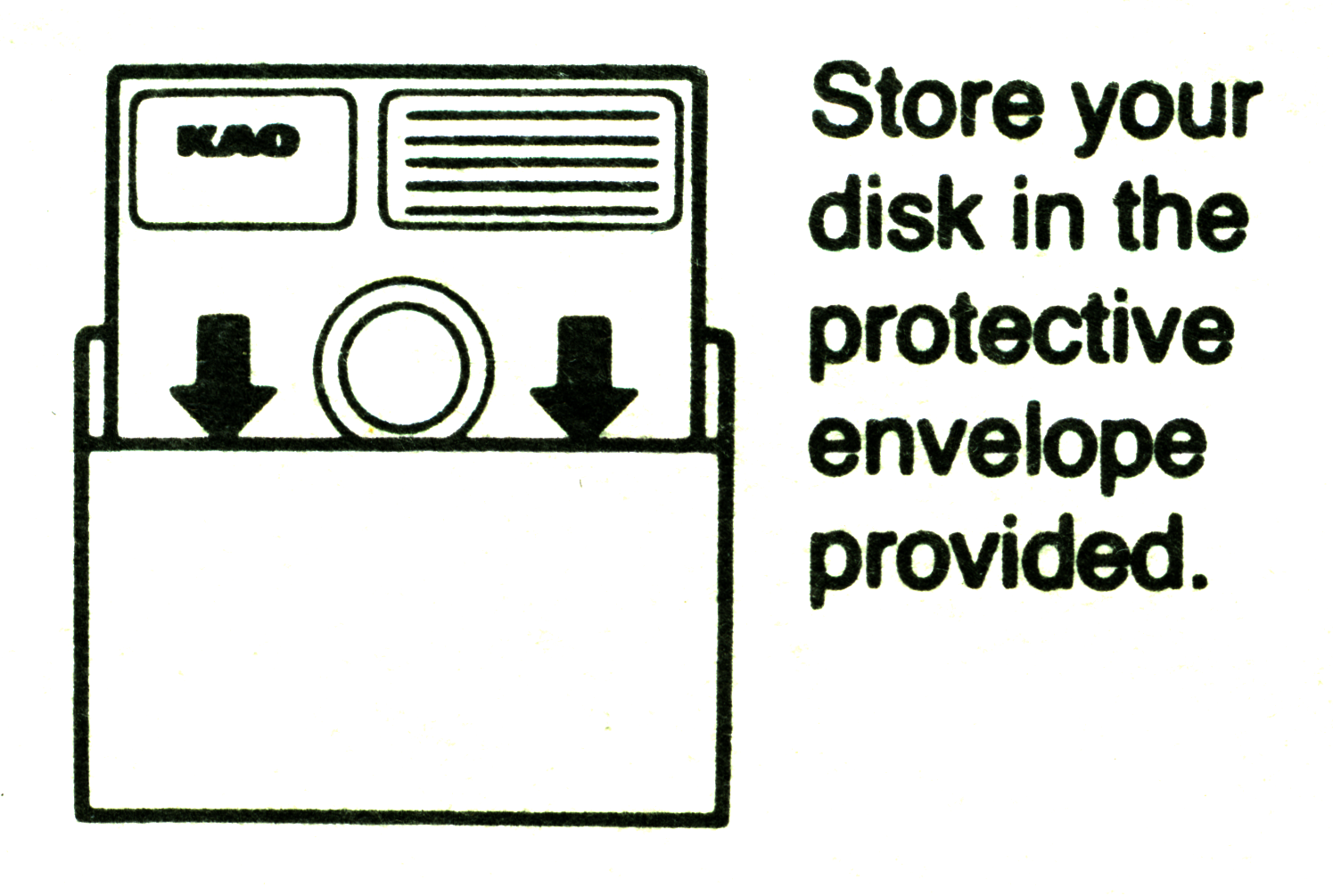
For the sake of consistency, I will call this protection a sleeve, but may also be referred to as an envelope, jacket, or a pouch. Pouch being used by the folks down-under. The sleeve was mainly used for storage of the disk, but was also a great marketing tool and on the backside a reminder of the proper care of the disk. Floppy disk manufacturers and software companies would use the sleeve to print their logo and other important information about the disk, some opting for blank or generic graphics. Today we will look at some of the creative and not so creative uses.
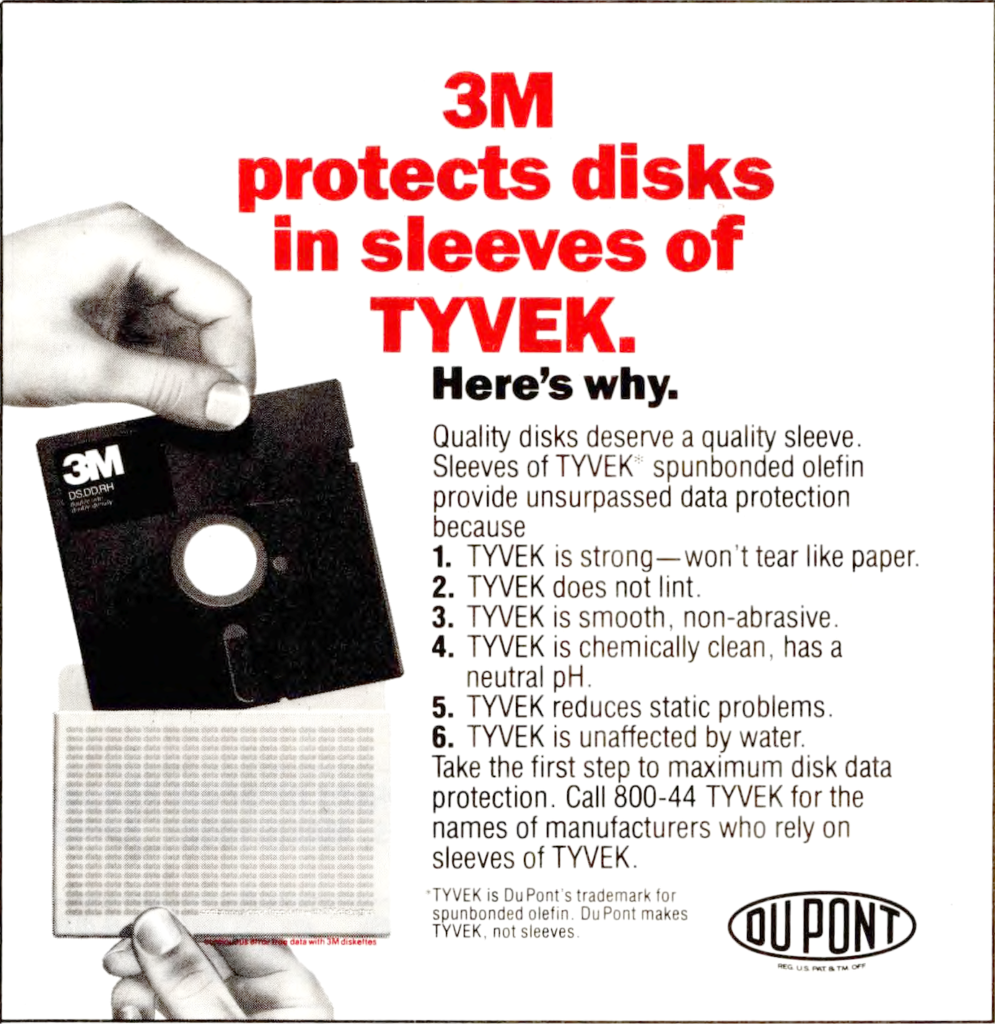
Sleeves for floppy disks were made of a few different types of material. Plain paper sleeves were very common, many of which have yellowed over time. Some were very thin, others quite thick to offer more protection. One type of material often used for a sleeve is called Olefin. Kind of a cross between paper and plastic, this spun bonded material was used by many manufactures because of this superior durability an its ability repel water. This material made by Dupont was named Tyvek and has many uses, one use being found protecting the walls of your home.

As far as I know there is no “archive” documenting all floppy disk sleeves. There is a website called the Original Disk Sleeve Archive started years ago and has many sleeves referenced, but hasn’t been updated in awhile. Jason Scott at the Internet Archive has also uploaded scans he has made, here and here.

Today I would like to share my collection of Sleeves with you. I scanned them myself from my collection at a massive 1200 dpi so you can explore all the details and find creative uses for them.

You will find most of the sleeves have a logo or name on the front, but the back may have some interesting icons. These icons helped remind us of the fragile nature of floppy disks and the care needed to make them last. The icons can be understood without any explanation, using familiar images. Some having the typical circle with a line through it, indicating to NOT do something, others would use simple words in a few languages to get the meaning across. Then you have some who decided to go with humor or clever phrases to get the message across. In all, the messages were clear and understood, but as the floppy disk lost its usefulness over time, the icons and messages disappeared to time as well.
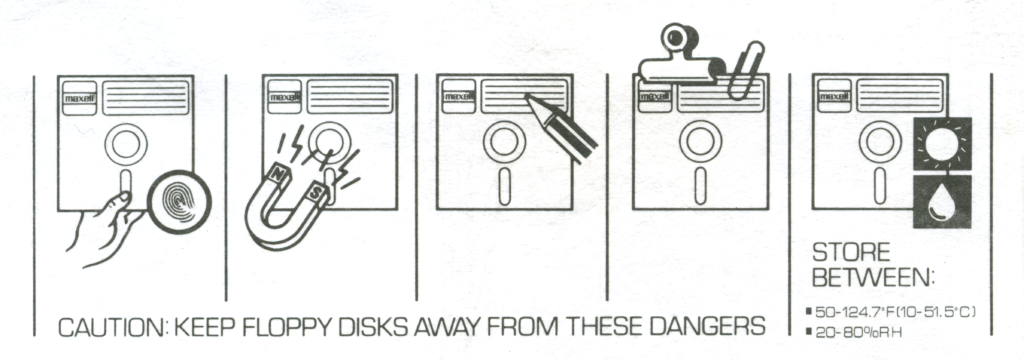
You might noticed many of the different sleeves in my collection have a common set of icons, which were probably bought instead of designing their own by many companies. Others spent some time and effect into designing their own.
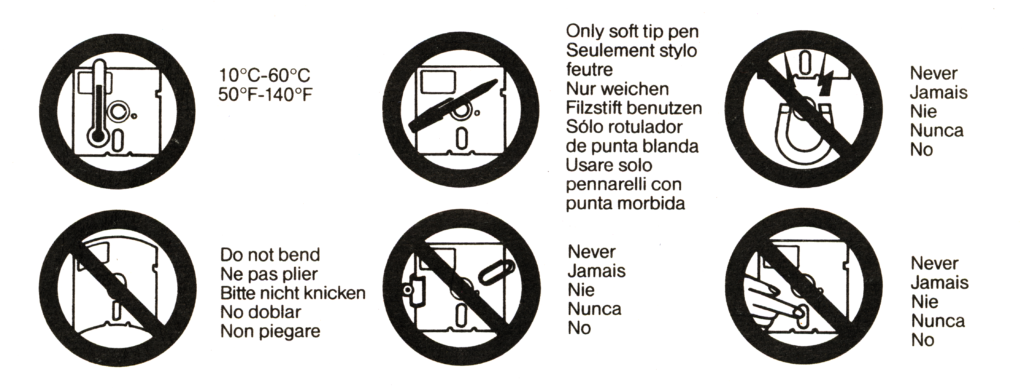
Generally they all follow they same message, Do not bend, only use soft tip pens or markers, never use paper clips, don’t touch the magnetic media with your hands, and most of all, keep magnets away from the disk. Others would indicate to be sure to insert into the drive carefully and not to force them. Many list the proper temperature and humidity to store the disks, which is a very wide range.
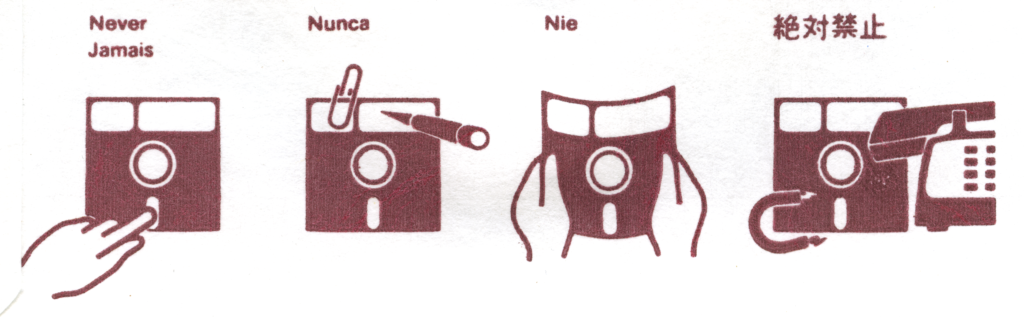
The sources of magnetism are very different from what we might find today in a typical office or home. No longer do we see large heavy telephones which huge magnets inside, or huge CRT monitors, nor do many of us keep large multimedia speakers at our desks, but these were real dangers when floppy disks were in use. For those who use floppy disks today, we have new unknown dangers to contend with, the modern laptop and cell phone which can be deadly to magnetic media. I explore this and other myths in a paper submitted to iPres this fall, stay tuned!
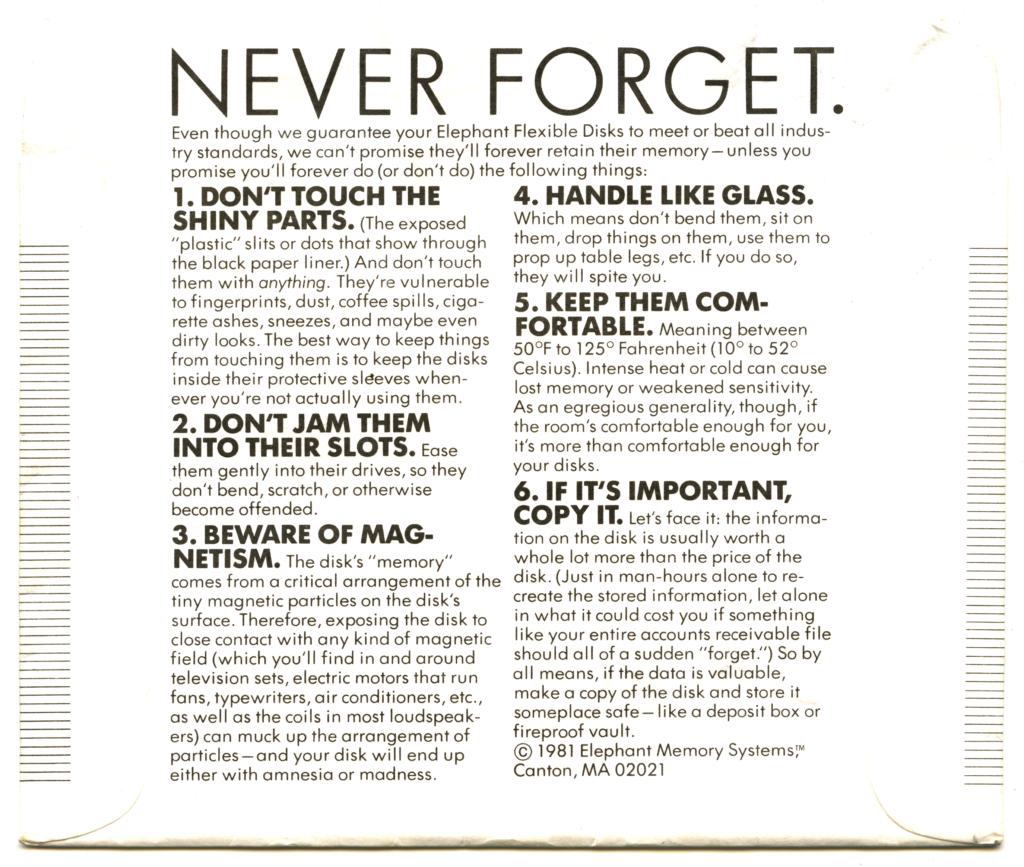
One of my favorite practical back sides is this one from Elephant Memory Systems. Don’t touch the shiny Parts! Also a reminder of making a copy of your data if it’s important, a good preservation principle.

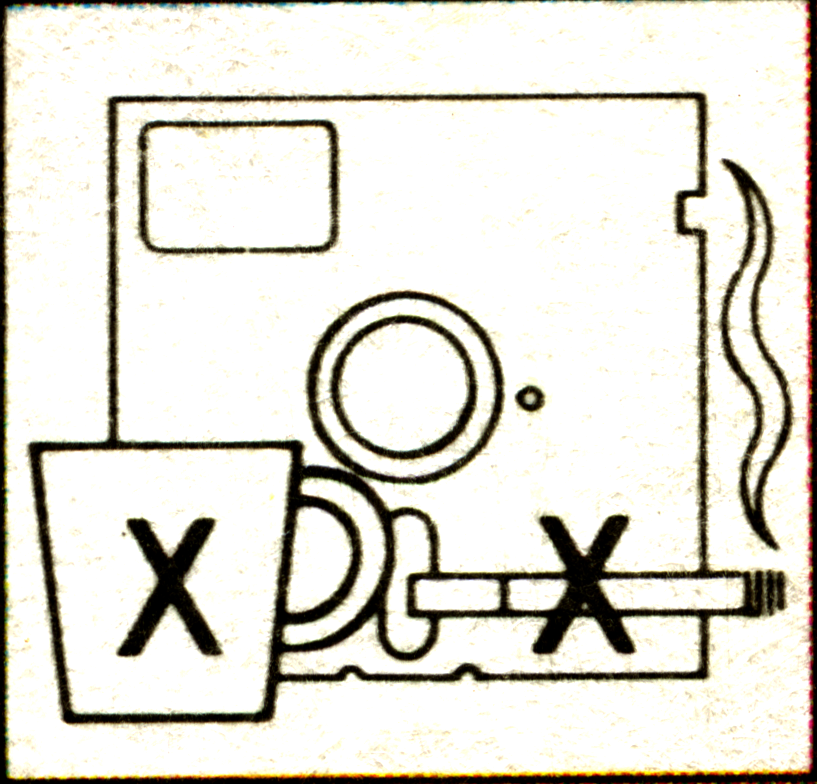
There are some slightly humorous instructions, like not letting your disk drink or smoke.
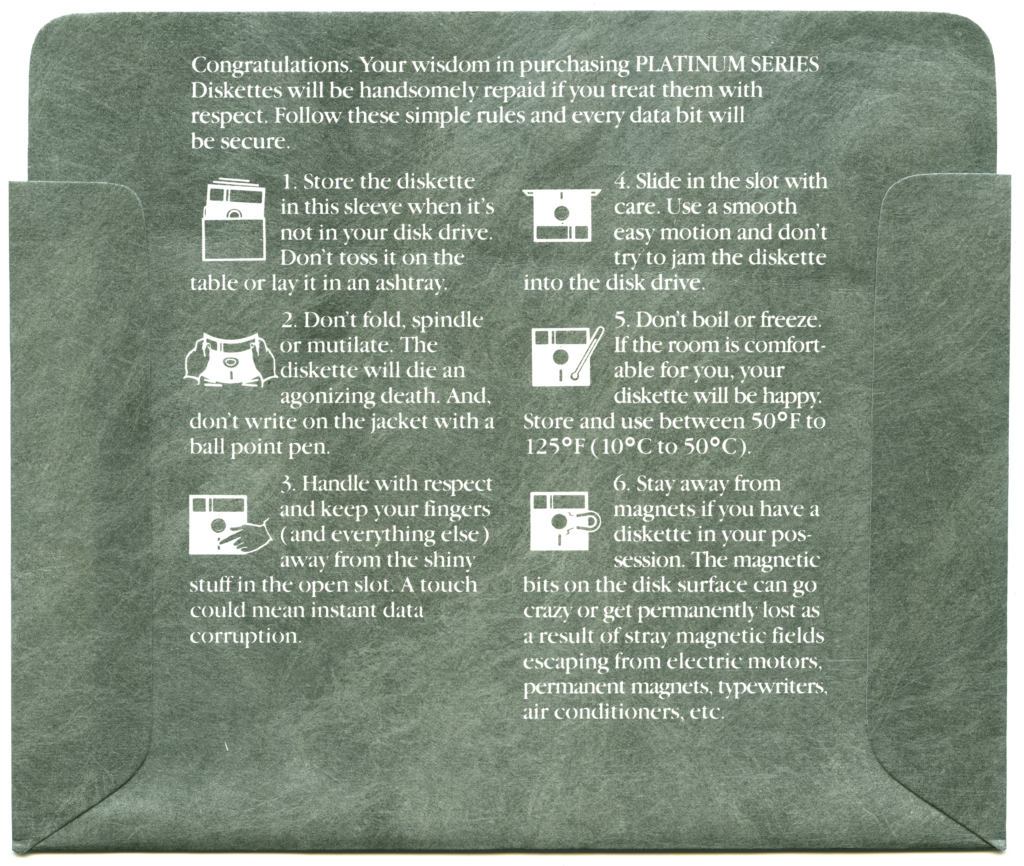
Or this clever set of instructions. Letting us know to avoid letting our disks die an agonizing death and to keep them happy.
But of course the the most famous of all disk care backside instructions go to the Beagle Bros. They decided to go with something less practical and more humorous to get their point across.
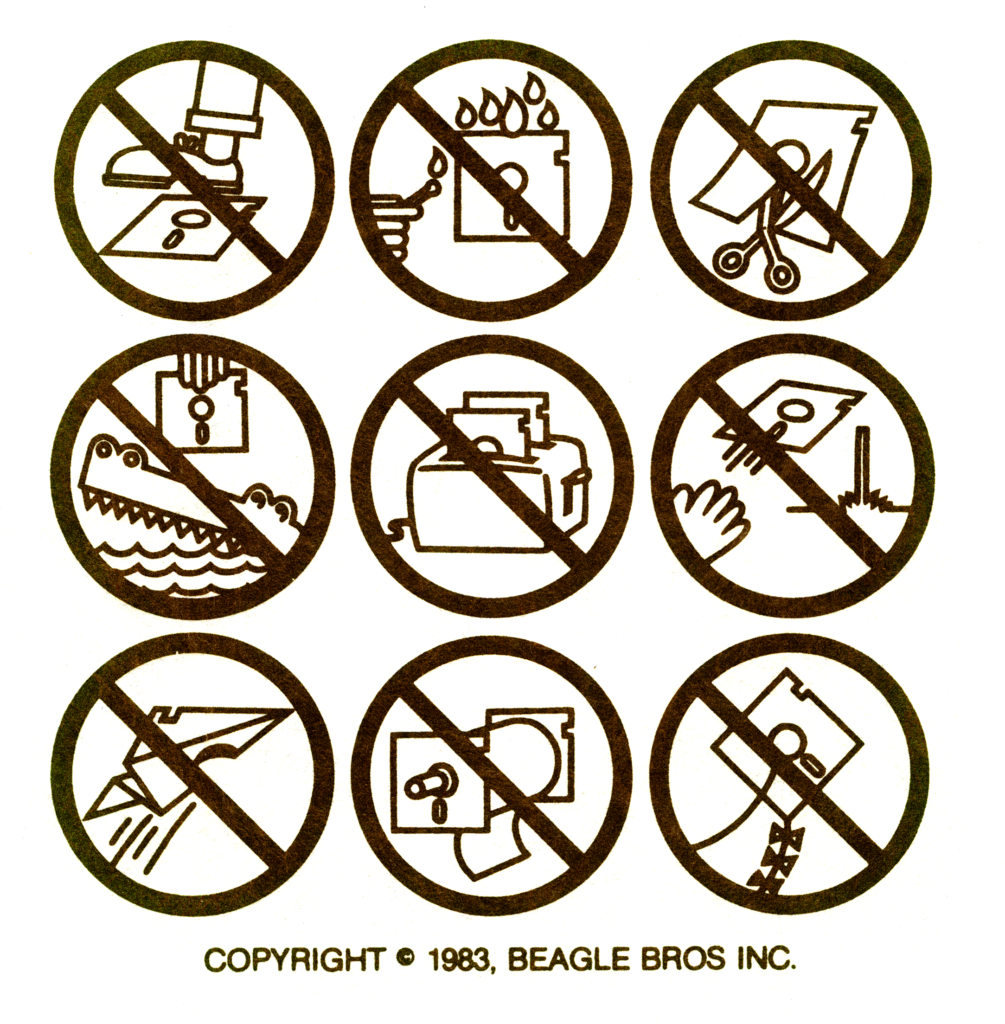
The Beagle Bros were a software company and distributor who mainly distributed Apple II software in the 1980’s. The art is credited to Fred Crone, an artist for the Beagle Bros, who with is wife Sara created much of the art used by the software company. The warnings were so popular, they got asked frequently if the warnings could be reprinted and permission was happily given. You can find more images and history at the Beagles Bros Repository. Which is your favorite?

If you happen to catch me at a conference or send me a nice message below, I might part with a few stickers I have made using many of the icons and warnings you find on the back of these sleeves. Enjoy.
Discus

I found myself in the same situation again with a colleague asking me for help identifying an unknown file. The file in question did not have an extension and to make things harder, the file could not be shared with me, only the header. So not having much to go on I started with some assumptions. Not having an extension leans toward the file being from an early Macintosh system. My favorite. I asked some follow up questions and learned the file was from around 2002, but no longer had any extended attributes that might contain a type creator code to help with identification. There was also mentioned of layers and fonts later in the file I was told.

Looking at the header sent to me, there was an obviously first choice to look into.

cd cd 20 07 43 41 4e 56 (ÍÍ CANV)

With the ASCII text “CANV“, the initial thought was this file was related to the popular Canvas software. I did a post on the Canvas formats a couple years ago so I went back through my files and could not find any match. Most uncompressed Canvas files use “CANVAS5” or “CANVAS6”, nothing which was shortened to CANV. I check all the samples I have from many versions. Back to square one.

I looked at other graphics and desktop publishing programs from the time period, I even asked AI to help me narrow it down. AI also recommended Canvas, but also many others I was already aware of and had dismissed. AI did not know what to make of the CANV string in the header, it was not too helpful. I did follow a couple of leads it gave me, but they led to dead ends. One title I looked into was called Desktop Publisher Pro. Files from this software also had a unique header, but nothing resembling what I was looking for. Maybe I will do another post of this software in the future.

So the next step in my process was to scan through all my sample data sets for something that matched or was close. I made a simple signature with the CANV header, but also one with the “CDCD” hex values as it seemed unique as well. I set the scan to run overnight on my sample set and the next morning I was met with disappointment. Not one match. I decided to run the same signatures across a few of my other drives of personal files, just for good measure. The next morning I had a surprise. Within the 10’s of thousands of files scanned, one file popped. The file the scan found also had no extension and the software that created it was no longer on my computer so the file was not associated with any software. But luckily in my case, the Type/Creator code was still attached!

% getfileinfo "MC Wrap" 
file: "Martins Cove Wrap"
type: "DISC"
creator: "ARTD"

attributes: avbstclinmedz
created: 09/06/2005 13:52:35
modified: 09/06/2005 13:52:35

% hexdump -C "MC Wrap" | head
00000000 cd cd 00 07 43 41 4e 56 00 00 00 01 00 00 00 12 |??..CANV........|
00000010 00 03 00 01 00 05 02 20 00 16 00 00 00 00 00 09 |....... ........|
00000020 00 32 50 52 45 56 00 00 00 01 00 00 34 6e 00 02 |.2PREV......4n..|
00000030 00 00 00 00 00 00 00 43 00 64 00 00 00 00 00 43 |.......C.d.....C|
00000040 00 64 00 10 42 10 42 10 42 10 42 10 42 10 42 10 |.d..B.B.B.B.B.B.|
00000050 42 10 42 10 42 10 42 10 42 10 42 10 42 10 42 10 |B.B.B.B.B.B.B.B.|
*
00000100 42 10 42 10 42 10 42 10 42 10 42 10 42 10 00 21 |B.B.B.B.B.B.B..!|
00000110 00 21 00 21 00 21 00 21 00 21 00 21 00 21 00 21 |.!.!.!.!.!.!.!.!|

There it is! The header with CANV. Looking up the Creator code “ARTD” in my TCDB tool, I learned the creator of the file.

% python3 TC-lookup-draft-uni.py "MC Wrap" 
Type Code: DISC
Creator Code: ARTD
Size of Data Fork: 18483930 bytes
Size of Resource Fork: 0 bytes
Rows with Type Code b'DISC' and Creator Code b'ARTD':
Row index: 11828
File Name: Discus—Disc Lable File
Type: DISC
Creator: ARTD
Comments: Discus

Category: nan
Extension: nan
Dup:
Data by Ilan Szekely, Jerusalem: nan
------------------------------

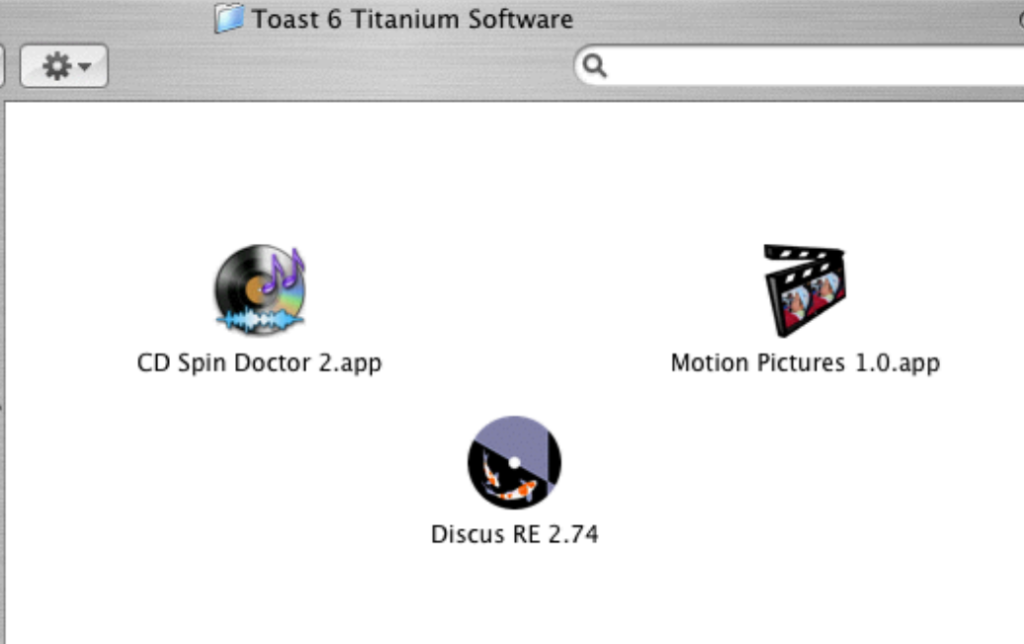
The database of Type/Creator codes identified the file as being created by the Discus software. A little search and I remembered the file in question was created by Discus RE which was included with Roxio Toast, a CD/DVD buring software popular on the Macintosh for many years. Discus RE was labeling software bundled with Toast for a few versions, lastly Toast version 7.

I happen to have Toast 6 on my older PowerMac G5 machine which included Discus RE 2.74. I made a few samples to compare.

% hexdump -C DiscusRE2.6-s01 | head
00000000 cd cd 00 07 43 41 4e 56 00 00 00 01 00 00 00 12 |??..CANV........|
00000010 00 03 00 01 00 00 00 0a 00 01 00 00 00 00 00 00 |................|
00000020 00 32 50 52 45 56 00 00 00 01 00 00 4e 2e 00 01 |.2PREV......N...|
00000030 00 00 00 00 00 00 00 64 00 64 00 10 52 94 52 94 |.......d.d..R.R.|
00000040 56 b5 52 94 52 94 56 b5 52 94 52 94 56 b5 52 94 |V?R.R.V?R.R.V?R.|
00000050 52 94 56 b5 52 94 52 94 56 b5 52 94 52 94 56 b5 |R.V?R.R.V?R.R.V?|
00000060 52 94 52 94 56 b5 52 94 52 94 56 b5 52 94 52 94 |R.R.V?R.R.V?R.R.|
00000070 56 b5 52 94 52 94 56 b5 52 94 52 94 56 b5 52 94 |V?R.R.V?R.R.V?R.|
00000080 52 94 56 b5 52 94 52 94 56 b5 52 94 56 b5 5a d6 |R.V?R.R.V?R.V?Z?|
00000090 63 18 42 10 42 10 42 10 42 10 42 10 42 10 42 10 |c.B.B.B.B.B.B.B.|

You may have noticed both my file and this sample have a slightly different header, my samples have “CDCD007” while the header sent to me has “CDCD2007”. A slight difference I am not sure of the meaning. I need to see more samples. Since this was a sample from Discus version 2, I tracked down samples from version 3 and 4.

% hexdump -C DiscusRE3-s01 | head
00000000 cd cd 00 07 43 41 4e 56 00 00 00 01 00 00 00 12 |??..CANV........|
00000010 00 03 00 01 00 00 00 0a 00 01 00 00 00 00 00 00 |................|
00000020 00 32 50 52 45 56 00 00 00 01 00 00 4e 36 00 02 |.2PREV......N6..|
00000030 00 00 00 00 00 00 00 64 00 64 00 00 00 00 00 64 |.......d.d.....d|
00000040 00 64 00 10 52 94 52 94 56 b5 52 94 52 94 56 b5 |.d..R.R.V?R.R.V?|
00000050 52 94 52 94 56 b5 52 94 52 94 56 b5 52 94 52 94 |R.R.V?R.R.V?R.R.|
00000060 56 b5 52 94 52 94 56 b5 52 94 52 94 56 b5 52 94 |V?R.R.V?R.R.V?R.|
00000070 52 94 56 b5 52 94 52 94 56 b5 52 94 52 94 56 b5 |R.V?R.R.V?R.R.V?|
00000080 52 94 52 94 56 b5 52 94 52 94 56 b5 52 94 52 94 |R.R.V?R.R.V?R.R.|
00000090 56 b5 52 94 56 b5 5e f7 67 39 42 10 42 10 42 10 |V?R.V?^?g9B.B.B.|

Version 3 seems to have the same structure. Version 4 is a little different and also has an extension this time. The first two bytes are the same, but has 0008 and is missing the CANV, replaced by PREV.

% hexdump -C Discus4-s01.CD4 | head
00000000 cd cd 00 08 50 52 45 56 00 00 00 01 00 01 8e 36 |??..PREV.......6|
00000010 00 02 00 00 00 04 00 00 00 ba 00 8c 00 04 00 00 |.........?......|
00000020 00 ba 00 8c 00 20 32 32 32 ff 32 32 32 ff 32 32 |.?... 222?222?22|
00000030 32 ff 32 32 32 ff 32 32 32 ff 32 32 32 ff 32 32 |2?222?222?222?22|

I learned the Discus software was created by a software company called Magic Mouse Productions. Discus was written by Edward de Jong, the founder of Magic Mouse Productions, who has also created many other software titles. Discus sold millions of copies, many of which were bundled, but also full versions which unlocked many other label templates and a lot more artwork. The Discus software also included a large selection of artwork which could be used in the label design. Looking at a sample from the full version, I was hoping to see the CDCD2007, but found them to be similar to the other samples.

% hexdump -C Discus3.08-s01 | head
00000000 cd cd 00 07 43 41 4e 56 00 00 00 01 00 00 00 12 |??..CANV........|
00000010 00 03 00 01 00 00 01 f4 00 11 00 00 00 00 00 00 |.......?........|
00000020 00 32 50 52 45 56 00 00 00 01 00 00 4e 36 00 02 |.2PREV......N6..|
00000030 00 00 00 00 00 00 00 64 00 64 00 00 00 00 00 64 |.......d.d.....d|
00000040 00 64 00 10 52 94 52 94 56 b5 52 94 52 94 56 b5 |.d..R.R.V?R.R.V?|
00000050 52 94 52 94 56 b5 52 94 52 94 56 b5 52 94 52 94 |R.R.V?R.R.V?R.R.|
00000060 56 b5 52 94 52 94 56 b5 52 94 52 94 56 b5 52 94 |V?R.R.V?R.R.V?R.|
00000070 52 94 56 b5 52 94 52 94 56 b5 52 94 52 94 56 b5 |R.V?R.R.V?R.R.V?|
00000080 52 94 52 94 56 b5 52 94 52 94 56 b5 52 94 52 94 |R.R.V?R.R.V?R.R.|
00000090 56 b5 52 94 52 94 42 10 31 8c 42 10 42 10 42 10 |V?R.R.B.1.B.B.B.|

I actually reached out to Edward de Jong and asked him about the file format. His response,

The Discus file format is fairly straightforward

The first four bytes are the signature of a Discus file

The Discus software was built for the PowerPC chip for the Macintosh, but also for Windows. The last couple of updates to Discus version 4 added Intel chip support, but then no new versions where created. Edward explained….

I still use Discus myself, but on the Macintosh it stops running after OSX 10.14 because Apple cruelly discontinued their emulator for older operating systems and the Intel instruction set.

After Toast version 7, Roxio used a different labeling software bundled with their burning software. This and many others still need some research and documentation. For now, a signature for Discus will help in weeding out these labels some might find un-needed, but other may find invaluable.

Take a look at some samples and my signature proposal and let me know what you think.